Shape
aspect-ratio.border.box-shadow(inset).- Background:
position/size/color/image/gradient. In modern browsers, background shapes withtransition/transformare better than pseudo elements. clip-path.maskfilter.- SVG:
- SVG icon.
- SVG filter.
- SVG clip-path.
- SVG mask.
- Pseudo elements.
Outside
shape-outside
provides a way to customize wrapping effect for float element,
combined with
shape-margin
`shape-image-threshold
making it possible to wrap text around complex objects rather than simple boxes:
.shape {
  float: left;
  shape-outside: polygon(50% 0, 100% 50%, 50% 100%, 0 50%);
  shape-image-threshold: 20%;
  shape-margin: 20px;
}
Clip
clip
属性只对 absolute 与 fixed 元素起作用,
是对 overflow 属性的有力补充
(overflow 对于上述两种元素的裁剪作用有限):
auto.rect(<top-length>, <right-length>, <bottom-length>, <left-length>).clip元素clientWidth,clientHeight,computedStyle保持不变: 仅视觉上裁剪, 元素尺寸仍为原本尺寸, 原始布局仍然保留.clip元素非可见部分无法响应点击事件.
.fixed-clip {
  position: fixed;
  clip-path: rect(30px 200px 200px 20px);
}
Clip Path
none.<url>.<geometry-box> || <basic-shape>:<geometry-box>:border-box.padding-box.content-box.margin-box.fill-box.stroke-box.view-box.
<basic-shape>:
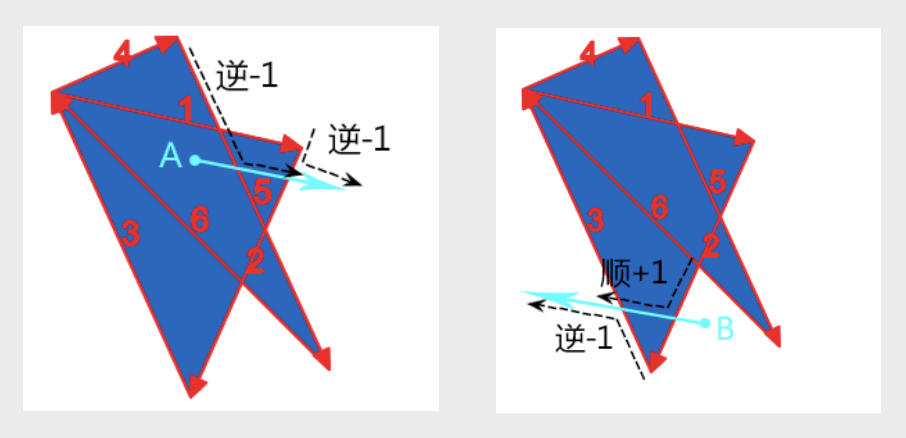
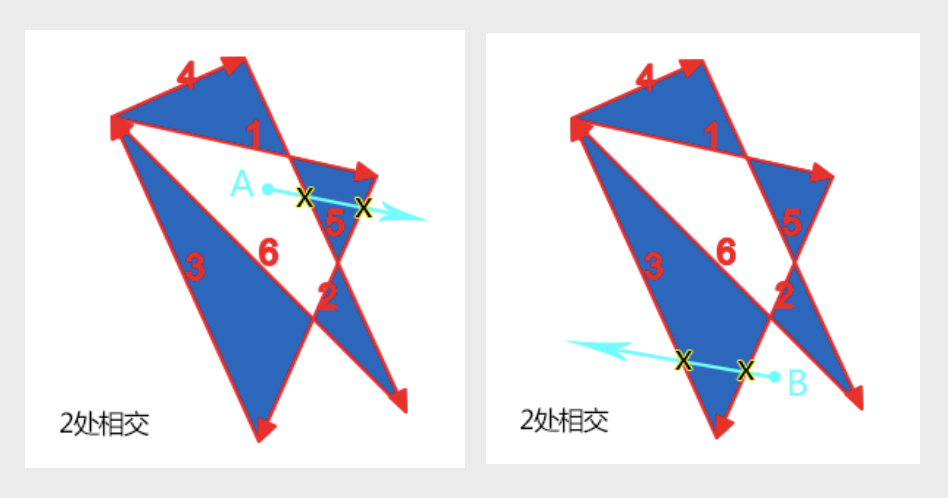
clip-path元素clientWidth,clientHeight,computedStyle保持不变: 仅视觉上裁剪, 元素尺寸仍为原本尺寸, 原始布局仍然保留.clip-path元素非可见部分无法响应点击事件.<fill-rule>用于确定复杂路径构成的图形的内部与外部, 内部填充, 外部透明.
.clip-path {
  clip-path: inset(10% 20% 30% 40%);
  clip-path: circle(50% at 50% 50%);
  clip-path: ellipse(50% 25% at 50% 50%);
  clip-path: polygon(0 0, 100% 0, 100% 100%, 0 100%);
  clip-path: path('M 0 0 L 100 0 L 100 100 L 0 100 Z');
}